Docs/Coordinate system
Chitra uses a coordinate system that starts at the top left. The point (0, 0) is located at the top left corner. The x-axis goes from left to right, and the y-axis goes from top to bottom.
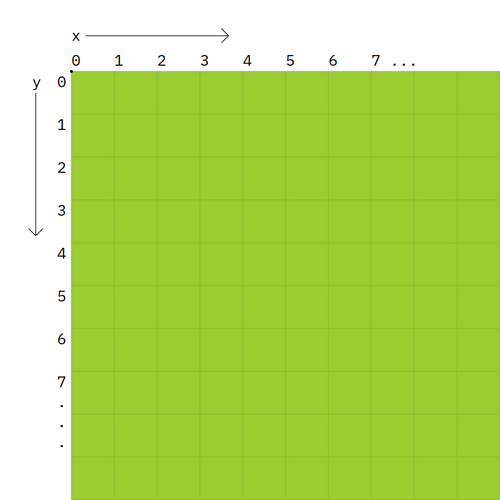
For example, to draw a rectangle starting from (100, 100), set its width to 400 points and height to 200 points. This demonstrates how coordinates and dimensions interact in Chitra.
auto ctx = new Chitra;
//       X    Y    W    H
ctx.rect(100, 100, 400, 200);